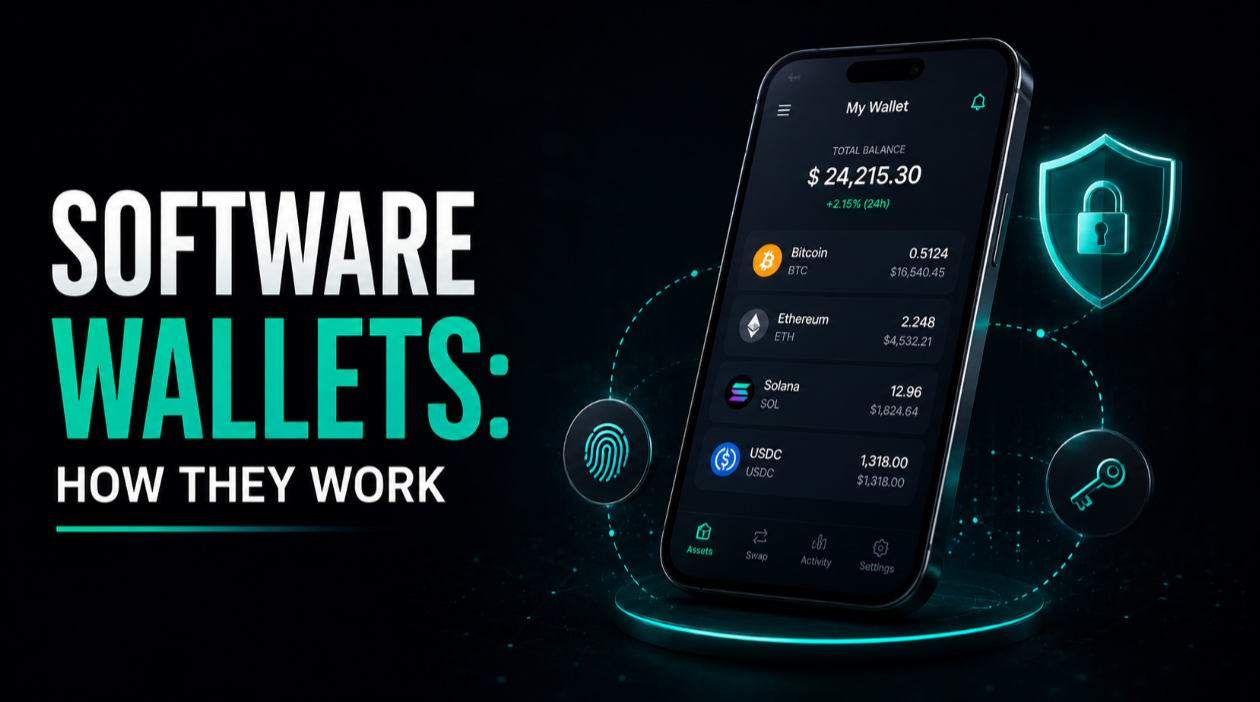
A software wallet is an application on your phone, computer, or browser that generates and stores your private keys locally, letting you receive, hold, and spend crypto without handing custody to a company. Because it runs on an internet-connected device, it is often called a "hot" wallet: convenient and quick to use, but exposed to more online risk than an offline device.
Key takeaways
- A software wallet keeps your private keys on your own device, so you control the funds directly rather than trusting a custodian.
- Being online makes it convenient but raises the risk from malware, phishing, and device theft.
- The recovery phrase shown at setup is the master backup and must be stored offline and privately.
- Software wallets suit everyday, smaller balances; pair them with a hardware wallet for long-term savings.
How a software wallet works
When you create a software wallet, the app generates a random master secret on your device and derives your private keys and addresses from it. Those keys are what actually control your crypto, which lives on the blockchain rather than "inside" the app. To spend, the wallet signs a transaction with your private key and broadcasts it to the network. To receive, you share a public address, which is safe to hand out.
The important distinction is custody. A non-custodial software wallet stores the keys locally, usually encrypted behind a password or your device's biometrics, and only you can authorise spending. A custodial app, by contrast, holds the keys for you on a server, which feels similar to a bank account but means you are trusting a third party. Most wallets people install to explore on-chain apps are non-custodial.
Common types
- Mobile wallets run as phone apps and are handy for payments and scanning QR codes on the go.
- Desktop wallets run on a computer and often suit people who want more screen space and control.
- Browser-extension wallets connect directly to web-based crypto apps, which is convenient but places the wallet in the most exposed environment.
Security: what you are trusting
A software wallet is only as safe as the device it runs on. Because the keys sit on an internet-connected machine, anything that compromises that machine can potentially reach them. That is not a reason to avoid software wallets, but it does shape how you should use them.
Keep the operating system and the wallet app updated, download the wallet only from official sources, and protect the device with a strong screen lock. Enable the wallet's own password or biometric lock so a stolen, unlocked phone does not immediately expose funds. Be especially wary in browser extensions, where a single malicious website or fake pop-up can try to trick you into signing a harmful transaction. When a request asks you to approve spending, read exactly what it grants before confirming.
The recovery phrase still rules
Like any self-custody wallet, a software wallet shows a recovery phrase at setup, typically 12 words. This phrase can restore your wallet on any compatible app, which is exactly why it must be recorded offline and kept private. Anyone who obtains it controls your funds, and no support team can undo that. Write it on paper or metal, store it away from the device, and never type it into a website, paste it into a note, or photograph it.
Honest trade-offs versus hardware
Software wallets and hardware wallets solve the same problem — self-custody — with different balances of convenience and safety. Being clear about the trade-offs helps you use each where it fits.
- Convenience. Software wallets are faster and free to start, ideal for frequent, smaller transactions and interacting with on-chain apps.
- Exposure. Their keys live on an online device, so they carry more risk from malware and phishing than an offline device that signs internally.
- Cost. A software wallet costs nothing to install, while a hardware wallet is a physical purchase.
- Best-of-both. Many people keep spending money in a software wallet and long-term savings behind a hardware wallet, and some software wallets can even pair with a hardware device for signing.
It is worth being honest that no wallet type is strictly "best." The right choice depends on how much you hold, how often you transact, and how much responsibility you want to carry day to day. A software wallet trades a little safety for a lot of convenience, and for the right use case that is a perfectly reasonable bargain.
Common mistakes to avoid
Most software-wallet losses trace back to a few repeatable errors rather than the wallet failing technically.
- Saving the recovery phrase digitally. A screenshot, cloud note, or email turns your offline master key into an online target.
- Downloading a fake app. Impersonator wallets appear in app stores and search ads; install only from the developer's verified listing or official site.
- Approving requests without reading them. Blindly signing token approvals or transactions can grant an app the right to move your funds later.
- Keeping large, long-term balances in a hot wallet. The more you hold in an online wallet, the more attractive it is to attackers; move savings to colder storage.
- Ignoring device hygiene. A jailbroken phone, pirated software, or an unpatched system undermines every protection the wallet offers.
Who a software wallet suits
A software wallet is a sensible starting point for anyone new to self-custody and a practical everyday tool even for experienced users. It shines for small balances you actually use — paying, swapping, and connecting to apps — where speed matters and the amount at risk is limited. For larger, long-term holdings, the extra protection of an offline device usually justifies the small cost and effort.
To see how the offline alternative compares, read our explainer on what a hardware wallet is, and for the broader principles of holding your own keys, our guide to self-custody is a good next step. You can explore more topics across our guides, and compare independently reviewed apps on our Crypto wallets page.
In short, a software wallet gives you real self-custody with everyday convenience, at the cost of living on an online device. Protect the device, guard the recovery phrase, read what you sign, and keep only what you need to spend within easy reach.