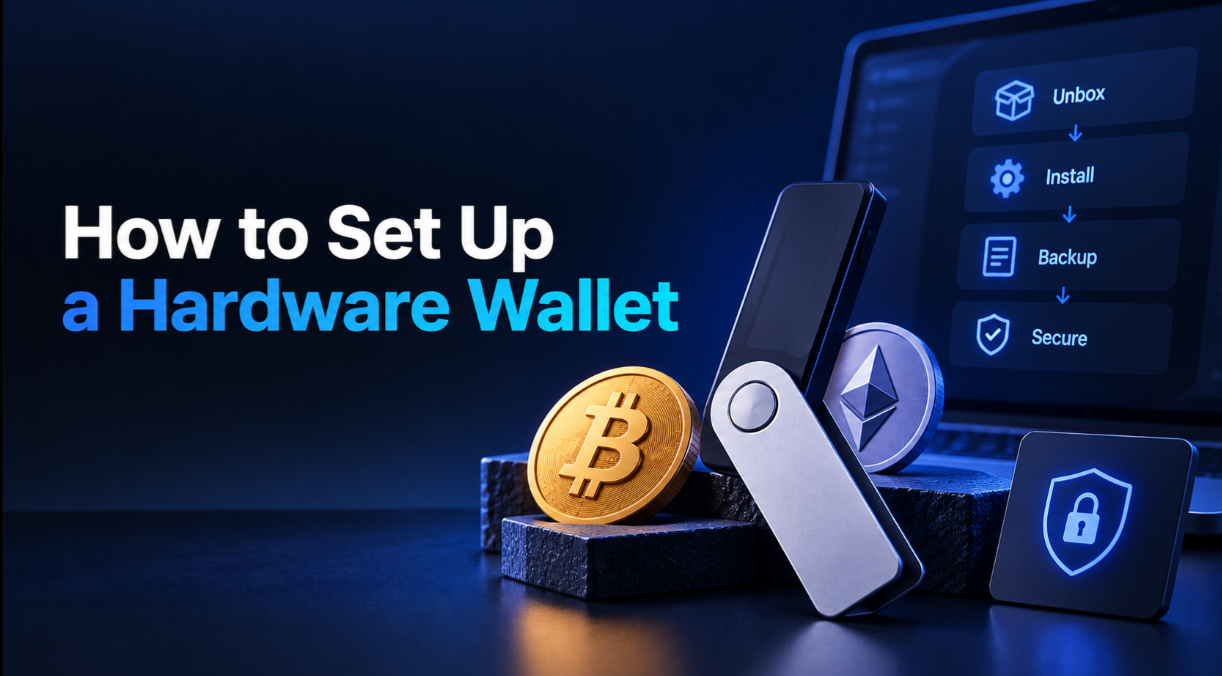
To set up a hardware wallet safely, you unbox a genuine sealed device, install its official companion app, let the device generate a brand-new recovery phrase, write that phrase down on paper or metal, set a PIN, and confirm everything works with a tiny test transfer before moving real amounts. Done in this order, the process takes about twenty minutes and puts your private keys firmly in your own hands.
Key takeaways
- Only ever use a device that arrives new and sealed, and let it generate the recovery phrase itself — never accept a pre-printed phrase.
- Record the recovery phrase offline, in the exact word order, and store it away from the device.
- Download the companion app only from the manufacturer's official site, checking the address carefully.
- Always send a small test transaction first, and verify the receiving address on the device screen.
Before you start
A hardware wallet protects the private keys that control your crypto by keeping them offline. That protection only holds if the device is authentic and the recovery phrase is created privately and stored well, so a few minutes of care at setup matters more than anything you do later. Set aside uninterrupted time, have pen and paper (or a metal backup plate) ready, and work somewhere without cameras looking over your shoulder.
Buy from a trusted source
Purchase directly from the manufacturer or an authorised reseller. Avoid second-hand devices and marketplace listings from unknown sellers, because a tampered unit can be pre-loaded to leak your funds. When it arrives, check that seals and packaging are intact and that the device powers on with a fresh, uninitialised state.
Step-by-step setup
The exact wording differs between brands, but the sequence below applies to nearly every hardware wallet.
- 1. Install the official app. Go to the manufacturer's real website, type the address yourself rather than clicking an ad or search result, and install the companion app for your computer or phone.
- 2. Initialise as a new device. Choose the option to set up as new (not "restore"). This tells the device to generate a fresh recovery phrase using its own randomness.
- 3. Set a PIN. Pick a PIN you can remember but others cannot guess. The PIN protects the device if it is physically stolen; most wallets wipe themselves after several wrong attempts.
- 4. Write down the recovery phrase. The device displays 12 or 24 words. Copy them by hand, in order, onto the supplied card or a metal backup. Double-check spelling and sequence.
- 5. Confirm the phrase. The device asks you to re-enter selected words to prove you recorded them correctly. This step is your safety net — do not skip or rush it.
- 6. Update firmware. Install any official firmware update through the app so the device runs current, vetted software.
Your first transfer
Before trusting the wallet with a meaningful balance, prove the whole loop works. In the companion app, generate a receiving address for the coin you want to hold, and confirm that the address shown in the app matches the one displayed on the device screen. Send a small amount from an exchange or another wallet, wait for it to confirm on-chain, then send a small amount back out. If both directions succeed and the on-screen addresses match, you can move larger amounts with confidence.
Optional passphrase
Many devices offer an extra passphrase — a word or phrase you choose that unlocks a separate hidden wallet. It adds a strong layer of protection because the passphrase is never stored on the device. The catch is that it is unrecoverable: forget it and the hidden funds are gone forever. If you enable it, back it up as carefully as the recovery phrase itself, and stored separately from it.
Backing up honestly
The recovery phrase is the only true backup. The device is replaceable; the phrase is not. Be realistic about the risks a single copy faces — fire, flooding, a house move, a curious relative — and plan around them.
- Keep at least two copies in separate secure locations, such as a home safe and a bank deposit box.
- Prefer a fireproof and waterproof metal backup for anything you intend to hold long term.
- Never store the phrase as a photo, a note in your phone, an email, or a cloud document.
- Do not store the phrase in the same place as the device, so that a single theft cannot take both.
Common setup mistakes
Most losses at this stage come from a handful of avoidable errors rather than sophisticated attacks.
- Restoring instead of creating. Choosing "restore" and entering a phrase you found in the box means you are using someone else's wallet, which they can empty.
- Typing the phrase into a computer. A genuine setup never asks you to enter the phrase on a keyboard. Any site or app that does is phishing.
- Photographing the words "just in case." That single photo can sync to the cloud and undo all the offline protection.
- Skipping the test transfer. Moving your whole balance to an unverified address risks sending it somewhere you cannot reach.
- Reusing an old PIN or an obvious one. Weak PINs defeat the physical protection the device is meant to provide.
After setup
Once the wallet is live, keep the companion app and firmware updated, and get into the habit of verifying every receiving and sending address on the device screen. If you want to understand the hardware in more depth, read our explainer on what a hardware wallet is, and to see where a device fits into the bigger picture, our guide to self-custody covers the mindset and responsibilities involved. You can browse the rest of our guides for related topics, and compare independently reviewed models on our Hardware wallets page.
Setting up a hardware wallet is not complicated, but the order matters. Verify the device, generate a fresh phrase, back it up offline in more than one place, and test small before you commit. Get those steps right and the ongoing effort is minimal.